Call us today (325) 600-4396

October 31, 2025
How to Create a Link in Bio Page Using Canva or Linktree
By Adrian Lasala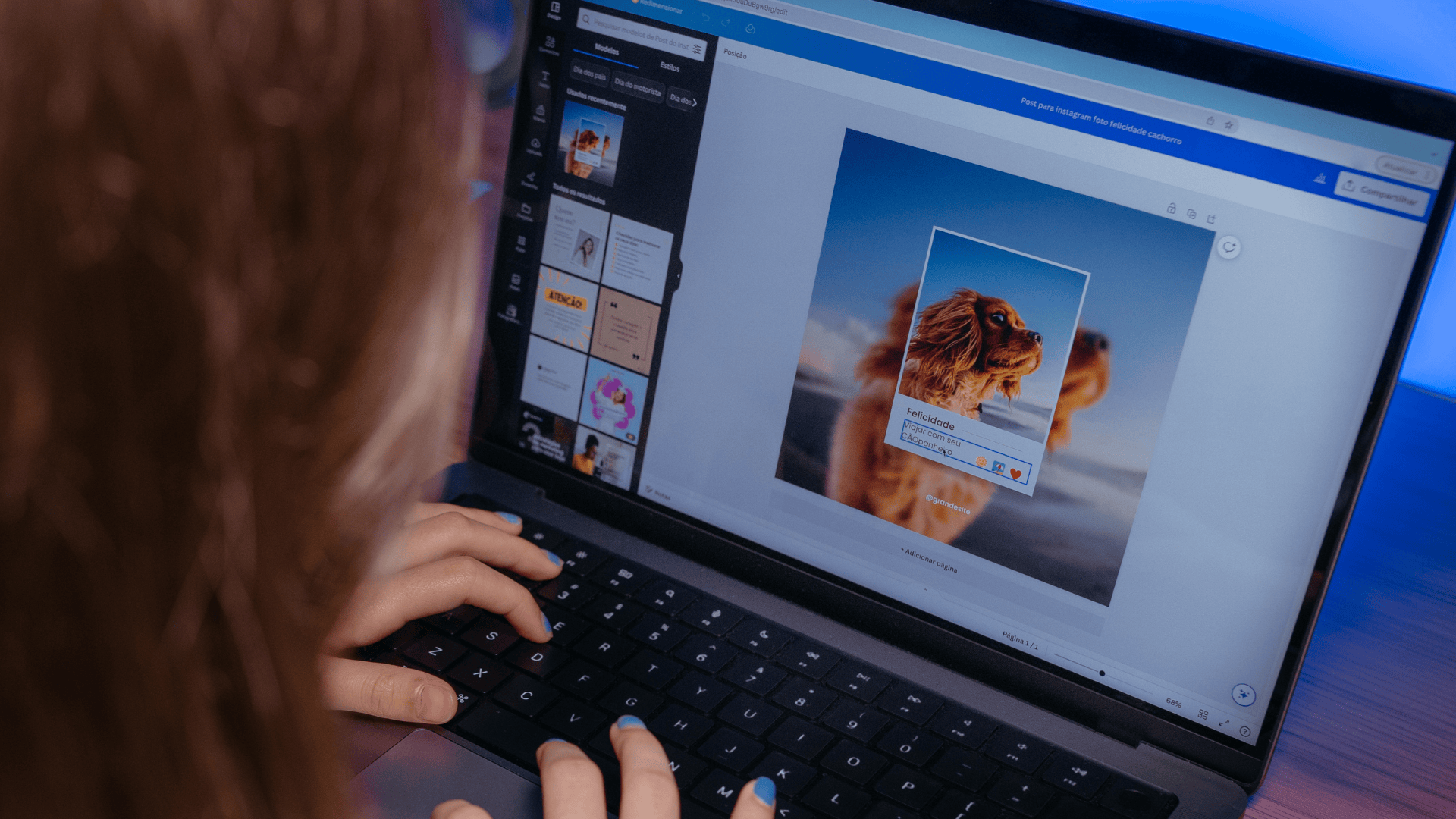
Back To Blog
Introduction
Why You Need a Link in Bio Page for Your Social Media
If you use Instagram, TikTok, or any platform that limits clickable links in posts, a link in bio page is an essential tool. It allows you to share multiple links—such as your website, shop, blog, or booking page—from one simple URL. Instead of constantly updating your bio link, you can direct followers to one central hub that showcases everything you want to promote. Two of the most popular tools for creating a link in bio page are Canva and Linktree. Both are user-friendly, customizable, and perfect for businesses, creators, and influencers who want to enhance their social media presence.
Creating a Link in Bio Page with Canva
Canva isn’t just for designing graphics—it also lets you create a fully customized link in bio landing page that fits your brand style. Start by logging in to Canva.com and searching for “Link in Bio” or “Website” in the search bar. Canva offers pre-designed templates made specifically for mobile-friendly link pages.
Choose a template that matches your aesthetic or brand theme. You can customize every detail, including background color, fonts, images, and buttons. Replace the placeholder buttons with your own links, such as your website, online store, YouTube channel, or contact form. Canva allows you to edit text easily by clicking directly on each section and typing in your preferred content.
Once your design is ready, click Publish as Website in the top right corner. Choose the Scrolling Website or Standard Website option for the best mobile experience. Canva will generate a unique URL that you can copy and paste into your Instagram, TikTok, or other social media bios. If you have a custom domain, you can also link it to your Canva site for a professional look.
Canva’s advantage is the creative control it offers. You can include brand visuals, animated graphics, and personalized buttons that align perfectly with your visual identity. For entrepreneurs and creators who want their link page to feel more like a mini-website, Canva is the ideal choice.
Creating a Link in Bio Page with Linktree
Linktree is one of the original and most popular tools designed specifically for creating link in bio pages. It’s simple, quick, and doesn’t require any design skills. Start by visiting linktr.ee and signing up for a free account. Once logged in, click Add New Link and begin entering your URLs—these could include your website, online shop, recent blog posts, or social media profiles. Each link can be given a custom title and organized in the order you prefer.
Linktree automatically generates a clean, mobile-friendly page where all your links appear in a simple list. You can customize the appearance by choosing themes, colors, and fonts that match your brand. If you upgrade to a Linktree Pro account, you can unlock additional features such as analytics, button icons, scheduling, and background images.
Once you’ve finished setting up your links, copy your unique Linktree URL and paste it into your Instagram, TikTok, or other social bios. Every time you add or update a link, the page updates automatically without changing your bio URL.
The biggest advantage of Linktree is its simplicity and speed. It takes only a few minutes to set up, and it automatically adjusts for mobile users. Plus, the built-in analytics show how many people click each link, helping you understand what content your audience finds most engaging.
Comparing Canva and Linktree
Both Canva and Linktree allow you to create an effective, shareable link in bio page, but they cater to slightly different needs. Canva is best if you want full design freedom and a branded look that matches your business style. It’s great for creatives who prefer a visually customized landing page with photos, animations, and unique layouts.
Linktree, on the other hand, focuses on simplicity and functionality. It’s ideal for anyone who wants a fast, no-fuss setup and easy link management. Its analytics features are also useful for tracking clicks and engagement, making it a strong option for marketers and influencers who prioritize performance over design flexibility.
Tips for Optimizing Your Link in Bio Page
When creating your link in bio page, focus on clarity and organization. Place your most important links at the top—such as your online store, booking link, or latest promotion. Keep titles short and descriptive so followers instantly know where each link leads. Include a clear call to action, like “Shop Now,” “Watch Latest Video,” or “Book an Appointment.”
Make sure your design or layout is easy to navigate on mobile devices since most users will access your page from their phones. Update your links regularly to reflect new content, promotions, or projects, ensuring that your page always stays relevant and engaging.
Conclusion
A link in bio page is a must-have for anyone promoting products, services, or content on social media. Whether you choose Canva for a custom-designed, visually rich landing page or Linktree for a simple and functional setup, both platforms make it easy to direct followers to all your important links from one place. Creating one only takes a few minutes but can significantly enhance your online presence and help you drive traffic more efficiently across your digital platforms.
To see how we build high-converting link hubs for brands: CLICK HERE
Strategic FAQ: Optimizing Your Bio Link
Should I keep my Link in Bio static or update it often? Rotate seasonally. Your Link in Bio should reflect your current marketing focus. If you are running a sale, that link should be at the top. If you just launched a new YouTube video, add a “Watch Now” button.
Does my Link in Bio affect my SEO? If you use a third-party tool like Linktree, the SEO benefit (backlink authority) goes to them. If you host the page on your own domain, you capture all that “Link Equity” yourself, which can help your main website rank higher over time.
Can I sell products directly from my bio? Yes. Modern tools like Beacons or Linkin.bio allow for “Shoppable Feeds” where users can complete a purchase without ever leaving the social app interface.
Contact Us Today
Ready to Amplify Your Marketing?
Let's create a digital marketing strategy that drives real results for your business.
Get Free Consultation